
Twixodus
The ultimate tool to perfectly import your Twitter archive into the Day One journaling app.
What for?
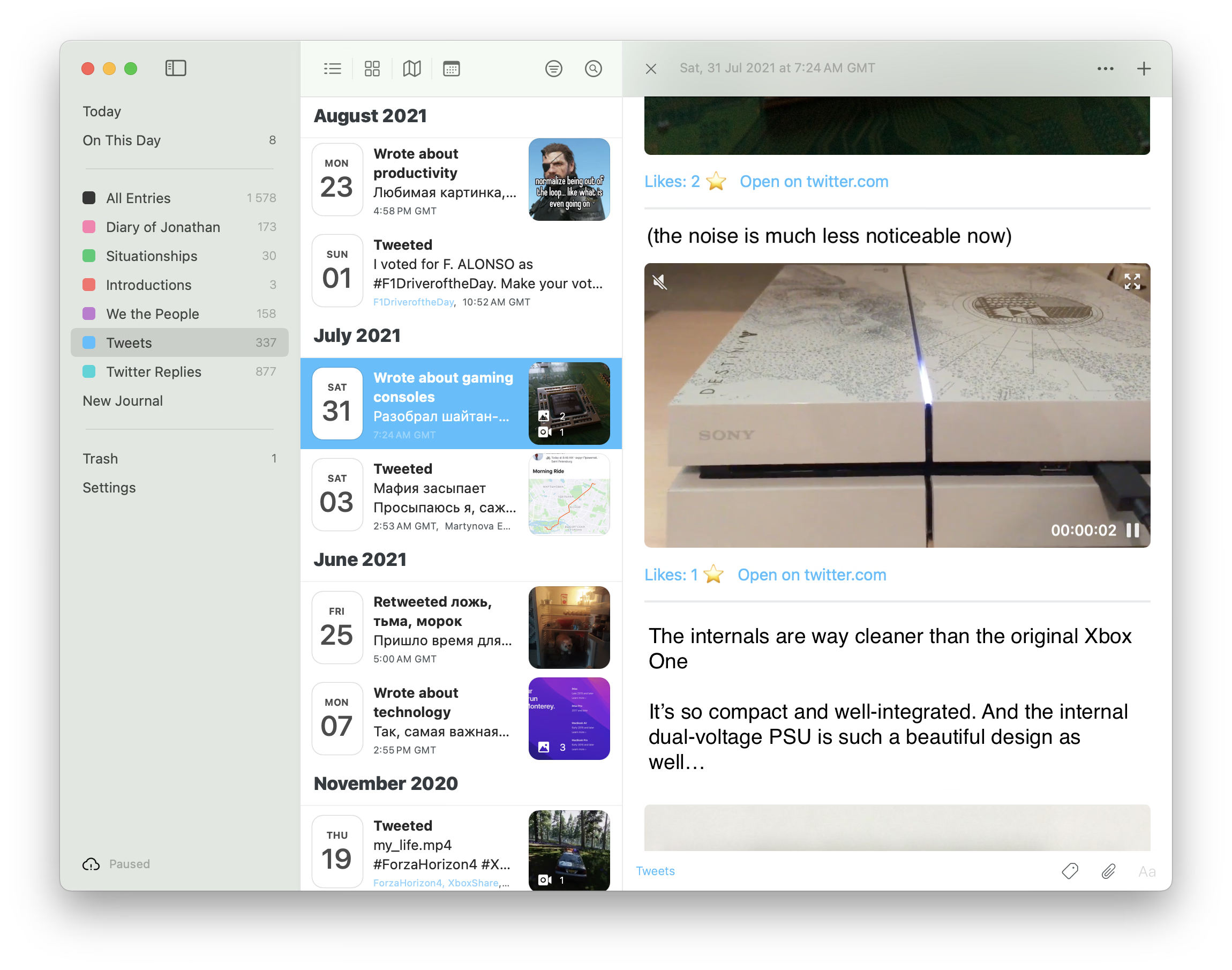
By importing your Twitter archive into Day One, you can:
- Browse your entire tweet history offline with lightning-fast random access
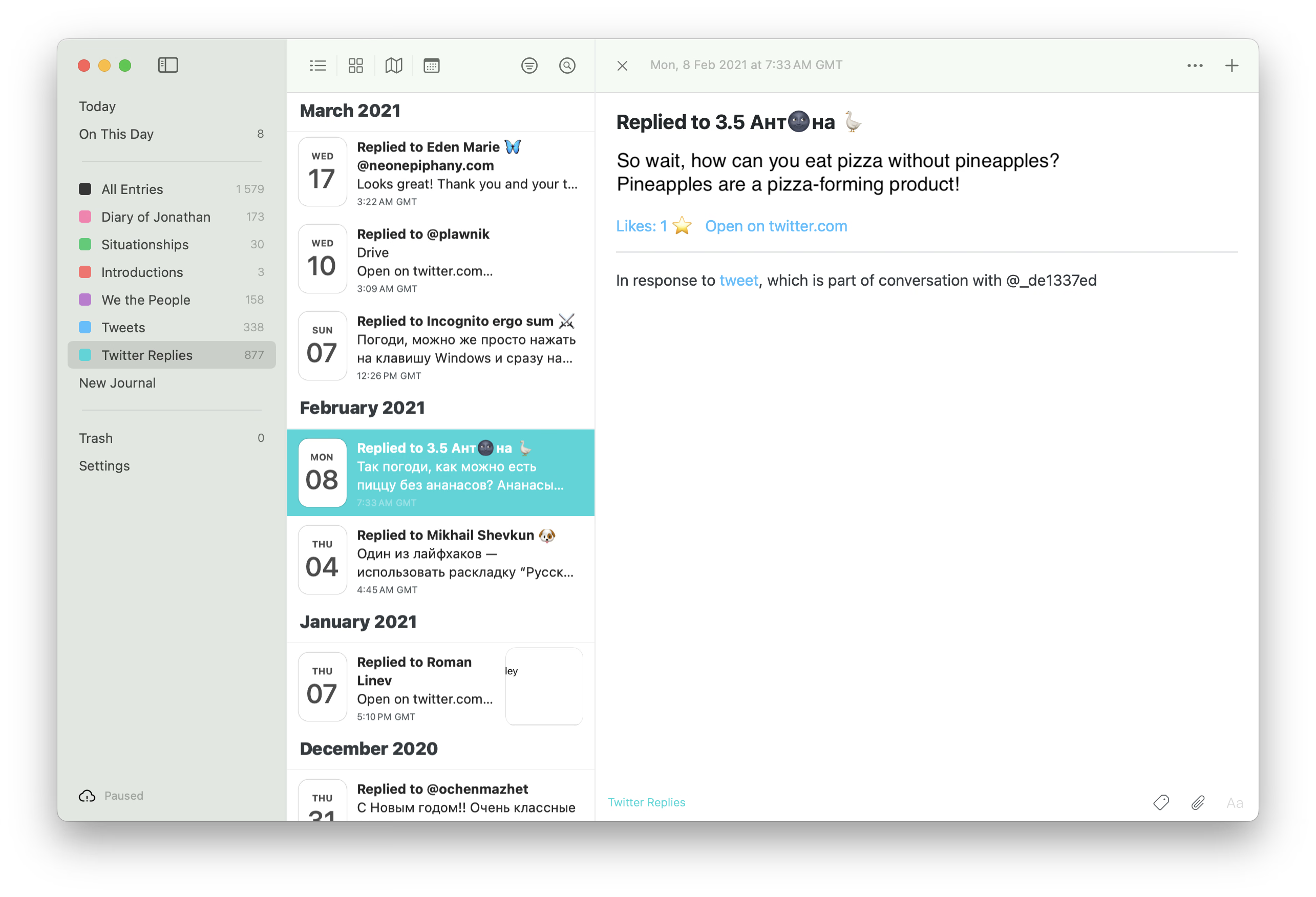
- Rediscover what you posted “on this day“ in past years—like Timehop, but nicer and with no limitations
- Browse all your tweeted photos and videos in a sleek, organized gallery
- Perform full-text searches that actually work
- Easily purge any unwanted kompromat from your old tweets
What's so good about it?
- Beautifully classifies pure tweets, threads, retweets, quote-tweets, replies, etc., and acts accordingly
- Handles threads gracefully and combines them into single, cohesive Day One entries
- Supports media attachments, hashtags, locations
- Appends like/retweet count under each tweet
- Remembers what it already imported — run it again next year with a fresh archive and only the new tweets get imported
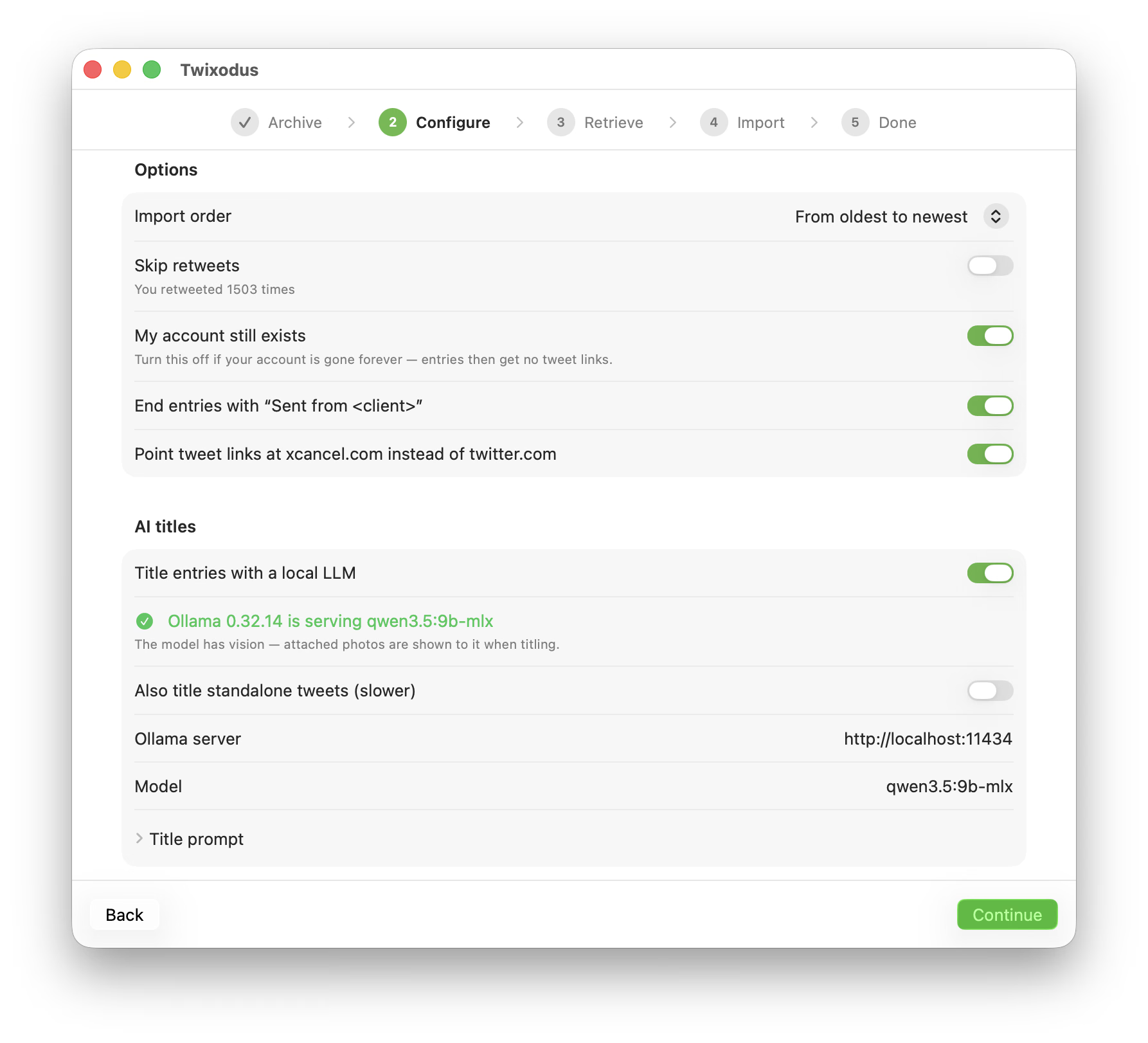
- Titles your entries with a local LLM via Ollama — “Wrote about Formula 1”, “Expressed frustration at airport security”, etc.
Preparationone-time
Requirements:
- macOS Sequoia or newer. If you don't have a Mac, find a friend who does or spin up a virtual machine.
- Day One Silver subscription for more than one attachment per entry (free trial available, feel free to cancel it right after the import)
Then:
-
Download your Twitter data. It will be delivered to your email within 24 hours.
-
Install the Day One app and its command-line tool, open the app, and (optionally) sign in.
-
Go to dayone://preferences → Journals, and create two journals: Tweets and Twitter Replies.
-
(Optional) Pause sync in Day One preferences if you're on a metered connection. You can turn it back on once the import is done.
-
Install Ollama on your Mac by executing following command in your terminal:
curl -fsSL https://ollama.com/install.sh | sh -
Install an LLM model to process titles for your threads.
## For ~16gb Macs:
ollama pull qwen3.5:9b-mlx &&
ollama serve
## For ~32gb Macs: ollama pull qwen3.5:27b-mlx && ollama serve
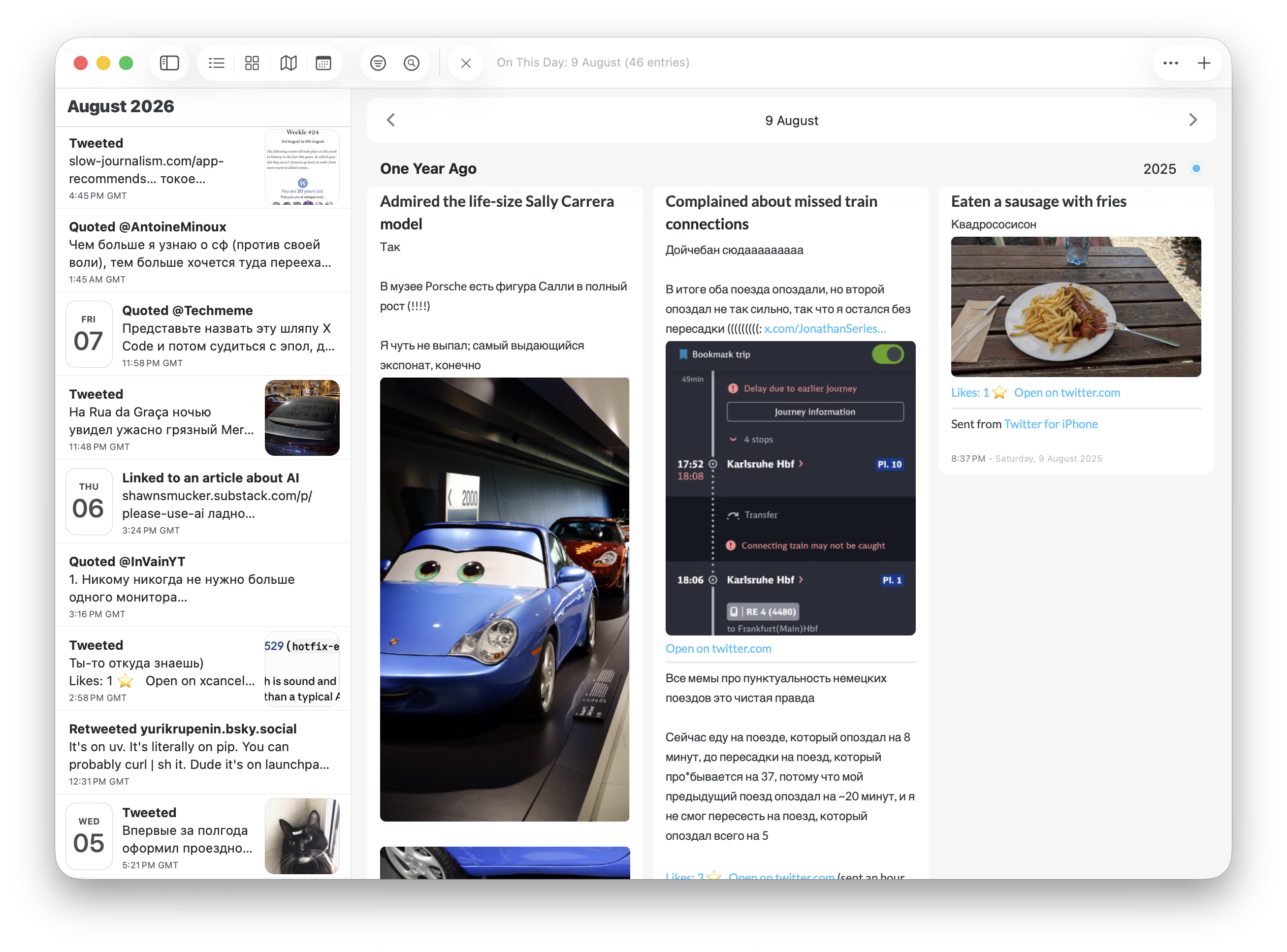
Note: when the model can't tell what a tweet is about, the title stays a plain “Tweeted”. Delete the model afterwards to reclaim the storage space:
ollama rm qwen3.5:9b-mlxUsage4 steps
- Download the latest Twixodus.zip.
- Launch Twixodus and drop your twitter-….zip (or the unpacked folder) onto the window.
- Walk through the settings — journals, whether your account still exists, etc. — and press Start Import. You can pause or cancel any time; the ledger remembers every imported thread, so the next run picks up where you left off.
- Keep the Day One app running during the import: it's what moves the staged media into the entries.
🥺👉👈
If you found this useful, please consider supporting me:
- Buy me a nice latte
- Revolut
- USDT TRC20: TKa6wmqpLvMQwacU1wnPgFWZHFaDRV9jFs